Blog / Guide
Live corporate event production: what you need and how to prepare
A practical guide to live video production for corporate events: crew and kit, logistics, common mistakes and how to prepare the shoot.
A live corporate event doesn't give you second chances. Once the speaker walks on stage there's no time left to adjust the framing, move the mic or change the plan. Either you have everything ready or you improvise on the fly and the footage comes out patchy.
I've filmed company presentations, conferences, town halls, product launches and gala dinners. What separates a solid result from a mediocre one usually isn't the kit — it's the preparation. Here's how I approach it.
What live production is and why it's different
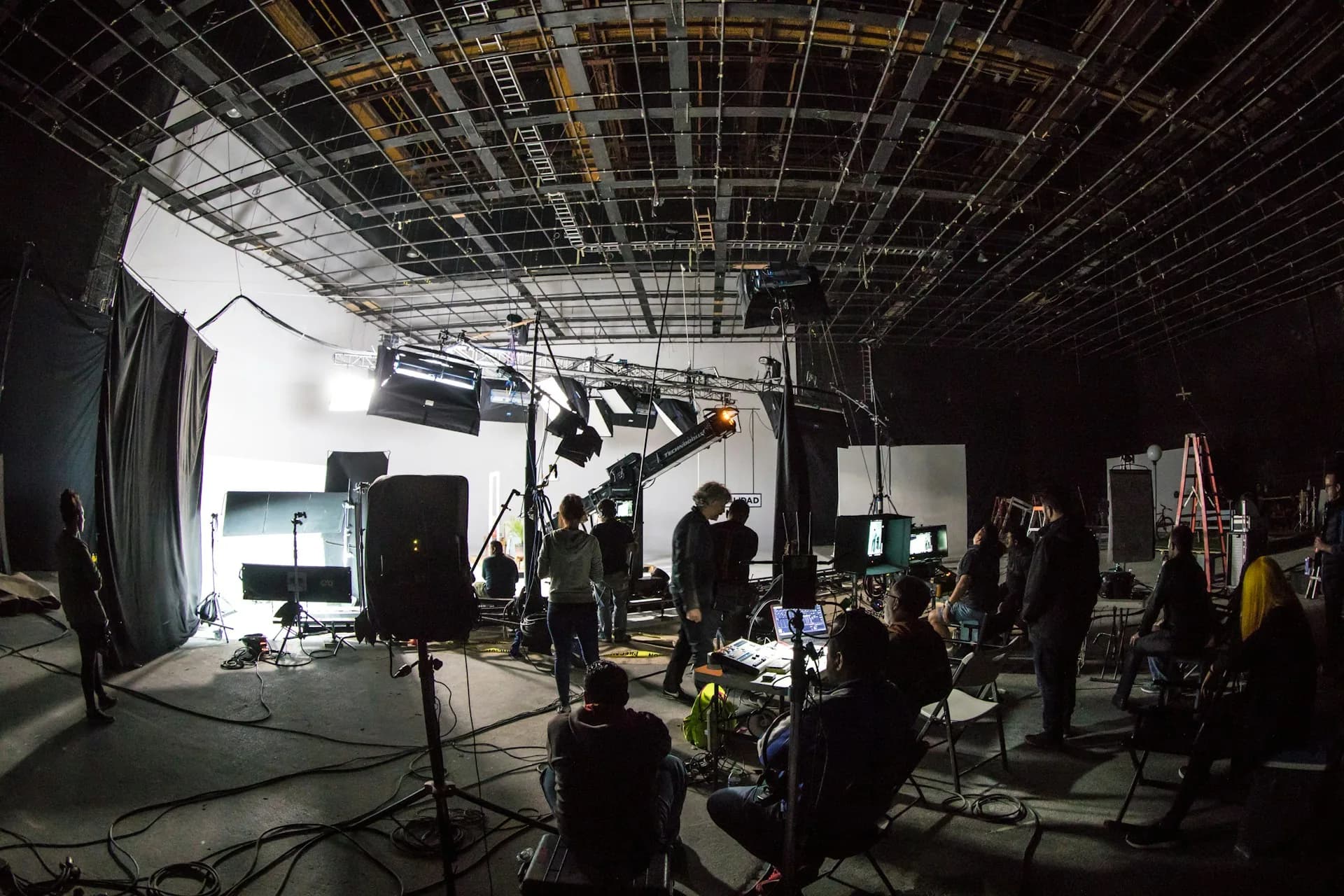
Live production means filming something as it happens, with no chance of a retake. A conference, a company away day, a panel discussion, an opening ceremony. The challenge is that the event has its own pace, its own surprises and its own space constraints. You adapt. The event doesn't wait.
The difference between an event video that works and one nobody watches twice lies in how that footage is used afterwards. Is it a two-minute aftermovie for LinkedIn? Individual clips of each speaker? A long version for the internal archive? That decision defines the crew, the camera positions and the shooting rhythm.
Without that clarity from the start, you end up in post-production with footage that doesn't fit any useful format.
How to do it properly
Before the event: recce and shooting plan
The real work starts one or two days before. I need to see the space I'll be filming in: where the natural light sources are, whether there's fixed house lighting and what color temperature it is, where the speaker will stand, and from which angle you can see the stage without someone's head blocking the shot. If the venue has stage rigging or LED screens, I need to know whether they'll interfere with the camera exposure. I also confirm with the organizers whether there'll be a sound technician who can give me a feed from the desk or whether I'm bringing my own microphones.
During the event: positions, communication and managing chaos
I work with a setup of fixed positions and controlled movement. At most events I use two cameras: one locked off on a steady wide shot — usually a Sony A7 IV on a tripod at the back of the room — and another for detail shots, audience reactions and moments that aren't on the running order. With two cameras I have enough coverage to edit without ugly cuts. With just one, any problem at a key moment is unrecoverable. Staying in touch with the event organizer during the event is essential. If the agenda changes on the fly — and something almost always changes — I need to know with as much notice as possible to reposition.
Post-production: finished piece or quick turnaround
Some clients need a 90-second cut ready to post on social media within 24-48 hours. Others want a more polished 3-5 minute piece with individual interviews, shots of the venue and music. The editing process in DaVinci Resolve is different in each case: the first calls for quickly picking the best moments and a brisk pace; the second allows you to build a fuller narrative. Decide this before filming, not after.
Common mistakes in corporate event production
- Not doing a recce of the venue before the day. You turn up on the day and discover the lighting is a disaster without having brought the right kit.
- Going with a single camera and no contingency plan. One technical issue or unexpected movement and you lose the moment the client needs.
- Not confirming the audio feed with the sound technician. The speaker's voice can't be recovered if the mic fails. Without clean audio the video is useless.
- Not locking down the delivery format before the event. Filming without knowing where the footage is going leads to content that doesn't fit anywhere.
- Underestimating post-production time. An 8-hour event generates hundreds of gigabytes of footage; reviewing and editing it takes real time.
Frequently asked questions
How many people do I need to film a corporate event?
For most mid-sized events — between 50 and 300 people — I work with one or two people. I operate the cameras and handle the audio; an assistant can take the second camera or the room shots. Large-scale events with several simultaneous rooms may need a bigger crew, but for a standard company event it isn't necessary.
What if the event venue has poor lighting?
Most event venues have lighting that's poor for video — that's the norm. You can compensate with your own portable lights if the organizers allow it, or by adjusting camera exposure and color work in post-production. In very extreme cases some loss of quality is unavoidable. That's why the recce matters: you can take action beforehand, not during the event.
How long does it take to deliver an event video?
A quick social media cut can be ready in 24-48 hours if the client needs it urgently. A full piece with interviews, venue shots and music takes between 5 and 10 working days, depending on the volume of footage and the number of revision rounds. Setting realistic deadlines before the event avoids mismatched expectations in post-production.
Can you livestream the event while also recording for the edit?
Yes, but they're two different jobs with different kit and workflows. Livestreaming requires a video switcher, an encoder and a stable connection. Recording for a later edit requires maximum quality and multi-camera coverage. Doing both at once with the same crew has serious limitations. If you need both, the best approach is to separate the crews and responsibilities.
If you have an event coming up in the next few months and want to talk about what footage makes sense to produce and how to approach it, you can get in touch through the contact page.